
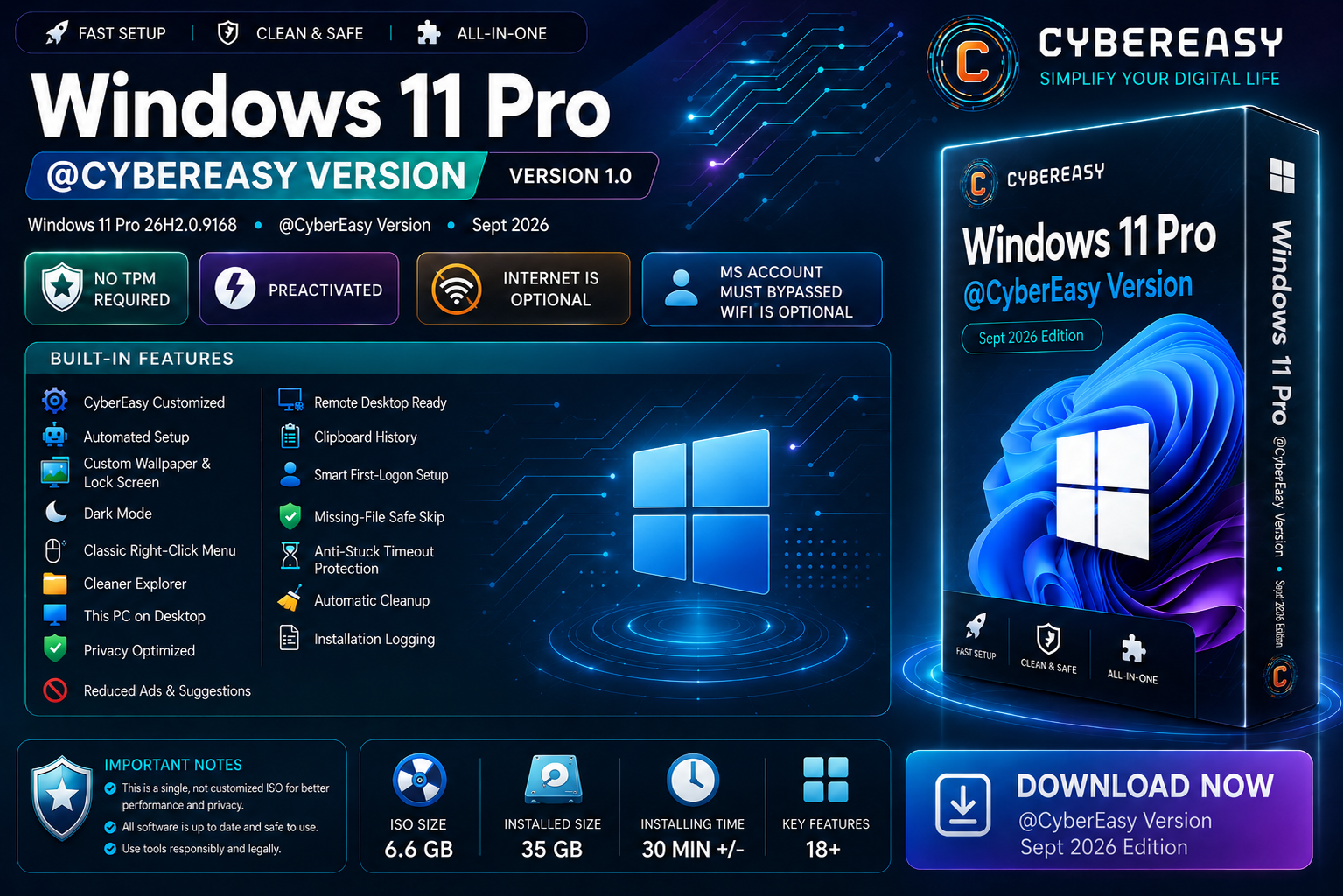
Windows 11 Pro 26200.9168 @CyberEasy Version 1.0 – September 2026 is a clean, lightweight Windows 11 Pro setup designed for users who want a ready-to-use Windows base without bundled third-party software. This edition focuses on Windows itself, streamlined setup, useful system tweaks, privacy-focused configuration, and easier installation on compatible PCs.
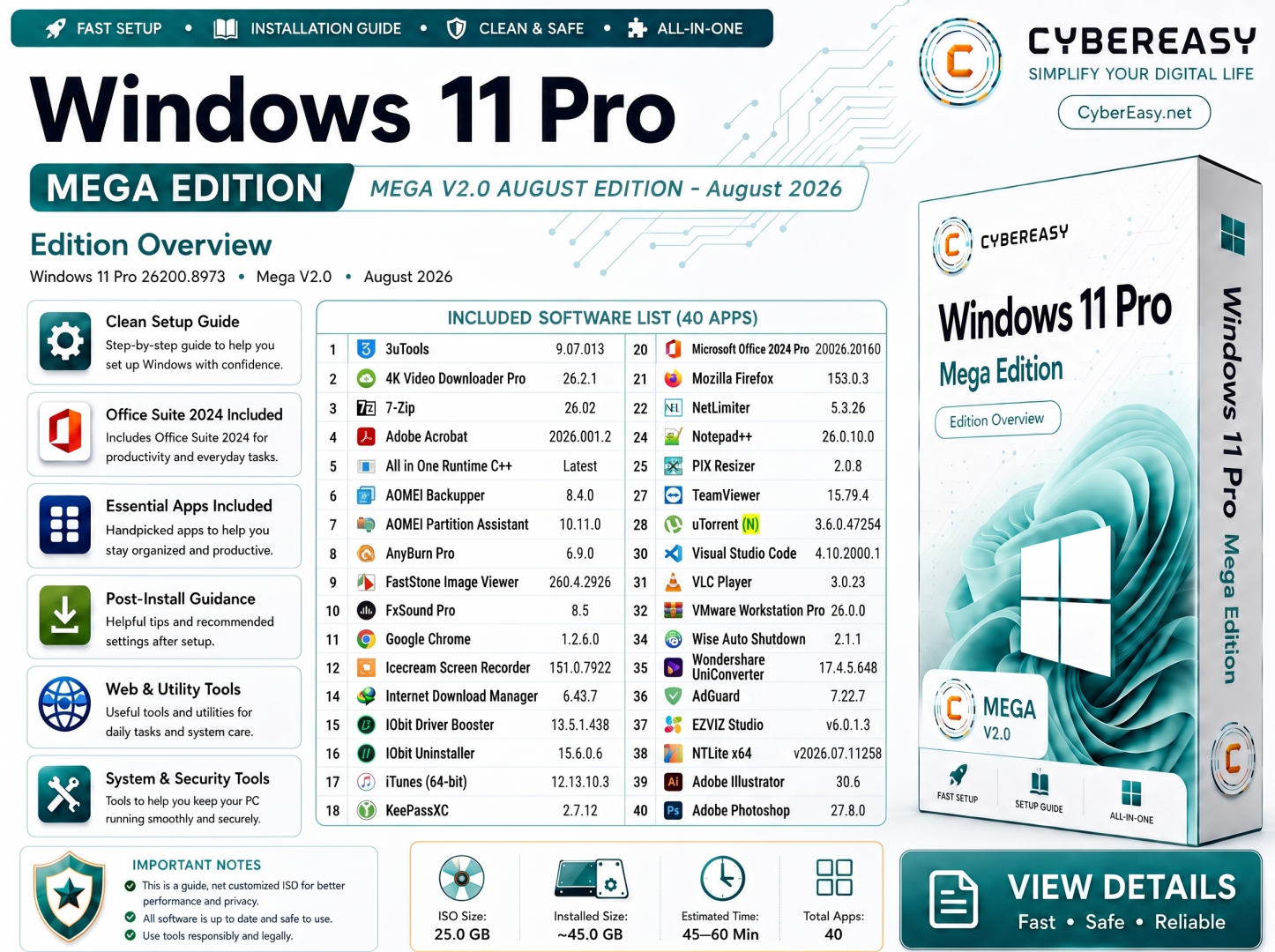
Unlike CyberEasy Lite or Mega editions, this version does not include any pre-installed third-party applications. After installation, you get a clean Windows environment and can install only the software you actually need.
Windows 11 Pro @CyberEasy Version 1.0 Overview
Main Highlights
- No TPM Required
- Windows 11 Pro build 26200.9168
- CyberEasy customized Windows setup
- Internet connection is optional during setup
- Wi-Fi is optional during setup
- Microsoft account requirement can be bypassed for local-account setup
- Automated setup workflow
- Smart first-logon configuration
- Privacy-focused Windows settings
- Reduced Windows ads and suggestions
- Classic right-click context menu
- Cleaner File Explorer configuration
- This PC shortcut available on Desktop
- Custom CyberEasy wallpaper and lock screen
- Dark Mode configured
- Remote Desktop ready
- Clipboard History enabled
- Automatic post-install cleanup
- Installation logging
- Missing-file safe-skip protection
- Anti-stuck timeout protection during automated setup
Clean Windows — No Pre-Installed Software
This edition is intentionally different from CyberEasy Lite and Mega releases. No third-party software package is bundled or pre-installed. The purpose is to give you a clean Windows 11 Pro base with CyberEasy configuration and setup improvements only.
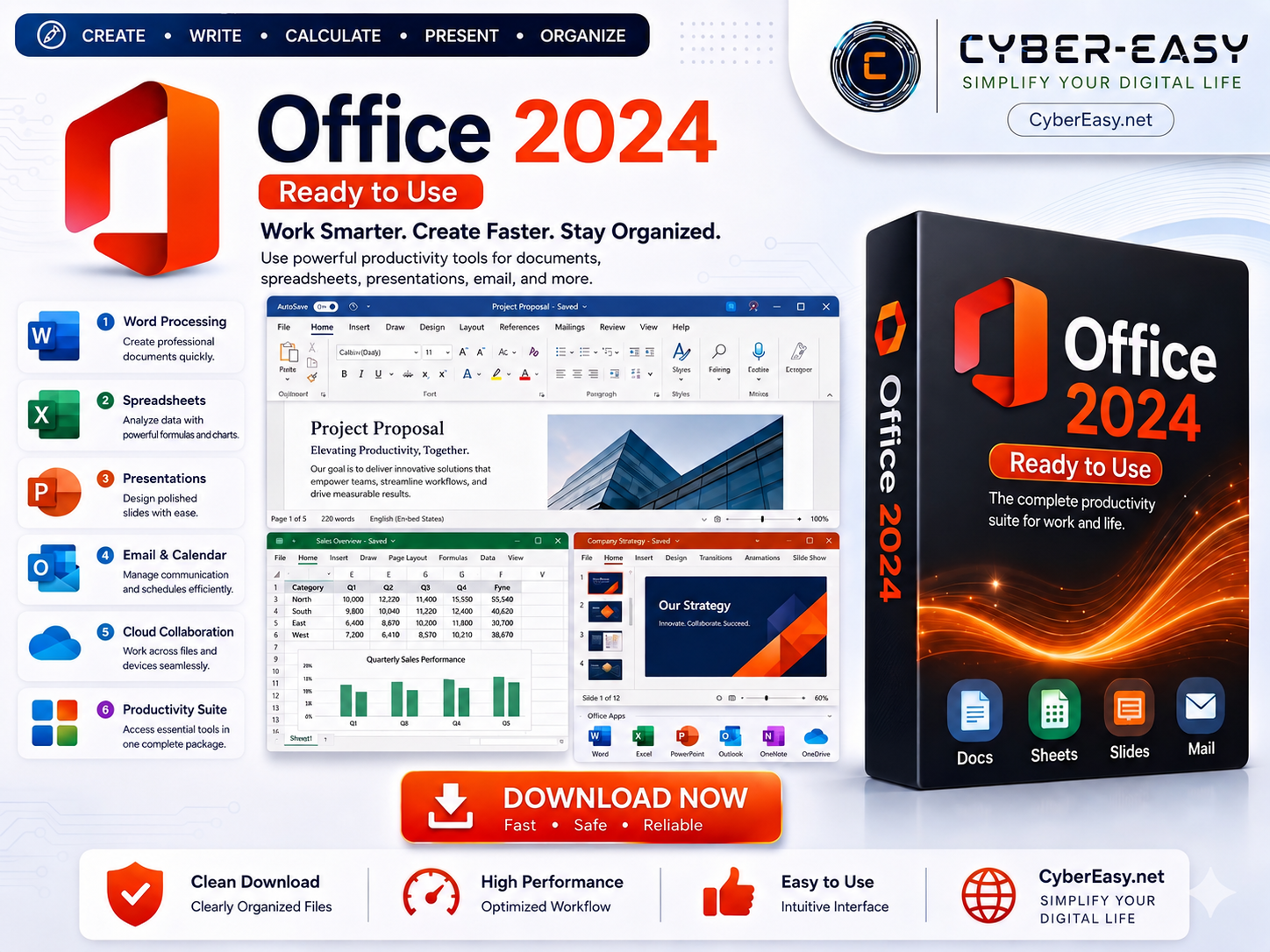
- No Office suite included
- No browser bundle included beyond Windows defaults
- No media players included
- No download managers included
- No backup or partition tools included
- No Adobe or design applications included
- No extra utilities installed automatically
- Install only the applications you personally need after Windows setup
Built-In CyberEasy Features
- CyberEasy Customized: Windows configuration prepared with CyberEasy layout and system preferences.
- Automated Setup: Reduces repetitive setup steps after Windows installation.
- Custom Wallpaper & Lock Screen: CyberEasy visual branding applied to the Windows environment.
- Dark Mode: Windows dark appearance configured for a cleaner desktop experience.
- Classic Right-Click Menu: Traditional context-menu behavior available for easier access to common actions.
- Cleaner Explorer: File Explorer configured with a simpler everyday layout.
- This PC on Desktop: Quick access to drives and system locations.
- Privacy Optimized: Selected Windows privacy-related settings adjusted for a less intrusive experience.
- Reduced Ads & Suggestions: Unnecessary Windows promotional suggestions reduced where possible.
- Remote Desktop Ready: Windows Pro remote desktop functionality kept available.
- Clipboard History: Convenient access to recently copied text and items.
- Smart First-Logon Setup: First-login tasks are organized to complete automatically where possible.
- Missing-File Safe Skip: Setup automation is designed to continue instead of hanging when an optional file is unavailable.
- Anti-Stuck Timeout Protection: Automated setup tasks include timeout handling to reduce the chance of the process getting stuck.
- Automatic Cleanup: Temporary setup files can be cleaned after installation.
- Installation Logging: Setup activity can be logged to help with troubleshooting.
Windows 11 Pro Requirements
This edition is designed to reduce some Windows 11 setup restrictions, including the TPM requirement shown in the CyberEasy artwork. However, the PC still needs suitable 64-bit hardware and enough resources to run Windows 11 properly.
- Processor: 64-bit x64 processor recommended
- RAM: 4 GB minimum; 8 GB or more recommended for comfortable everyday use
- Storage: At least 64 GB available storage recommended
- Graphics: DirectX-compatible graphics hardware recommended
- Display: 720p or higher display recommended
- Boot Mode: UEFI-capable hardware recommended
- Internet: Optional during setup; recommended afterward for Windows Update, drivers, activation, and Microsoft services
- Microsoft Account: Not required for the local-account setup path used by this edition
- TPM: TPM requirement bypassed in this CyberEasy configuration
Before Installation
- Back Up Your Files: Save important documents, photos, browser data, and other personal files before installing Windows.
- Check Your Drive: Confirm the correct SSD or HDD before deleting, formatting, or creating partitions.
- Prepare a USB Drive: Use a suitable USB drive for bootable installation media.
- Drivers: Keep essential network, chipset, storage, and graphics drivers available if your hardware requires them.
- Internet: You may complete setup offline. Connect afterward when you are ready to update Windows and install required drivers.
- Activation: Use a valid Windows license, digital entitlement, or product key that applies to your device.
Who Is This Edition For?
- Users who want a clean Windows 11 Pro installation without bundled applications
- PC technicians who prefer to install software separately after Windows setup
- Office and home users who want only the programs they actually use
- Users upgrading older supported hardware where the standard TPM check is a limitation
- Users who prefer a local account instead of being forced into a Microsoft account during setup
- Users who want Windows configured with CyberEasy convenience and privacy settings from the beginning
Important Notes
- No Pre-Installed Apps: This edition contains Windows and CyberEasy configuration only. Third-party software is not bundled.
- Hardware Compatibility: Bypassing a TPM check does not guarantee that every older computer will provide ideal Windows 11 performance or long-term driver support.
- Updates: Windows Update behavior can change over time. Keep backups before major Windows updates.
- Drivers: Some hardware may require manufacturer-provided drivers after setup.
- License: A valid Windows 11 Pro license or eligible digital entitlement remains your responsibility.
- Backup: Always back up important data before installing or reinstalling Windows.
- Responsible Use: Use Windows and all additional software according to their applicable licenses and terms.
Windows 11 Pro 26200.9168 @CyberEasy Version 1.0
Related CyberEasy Guides
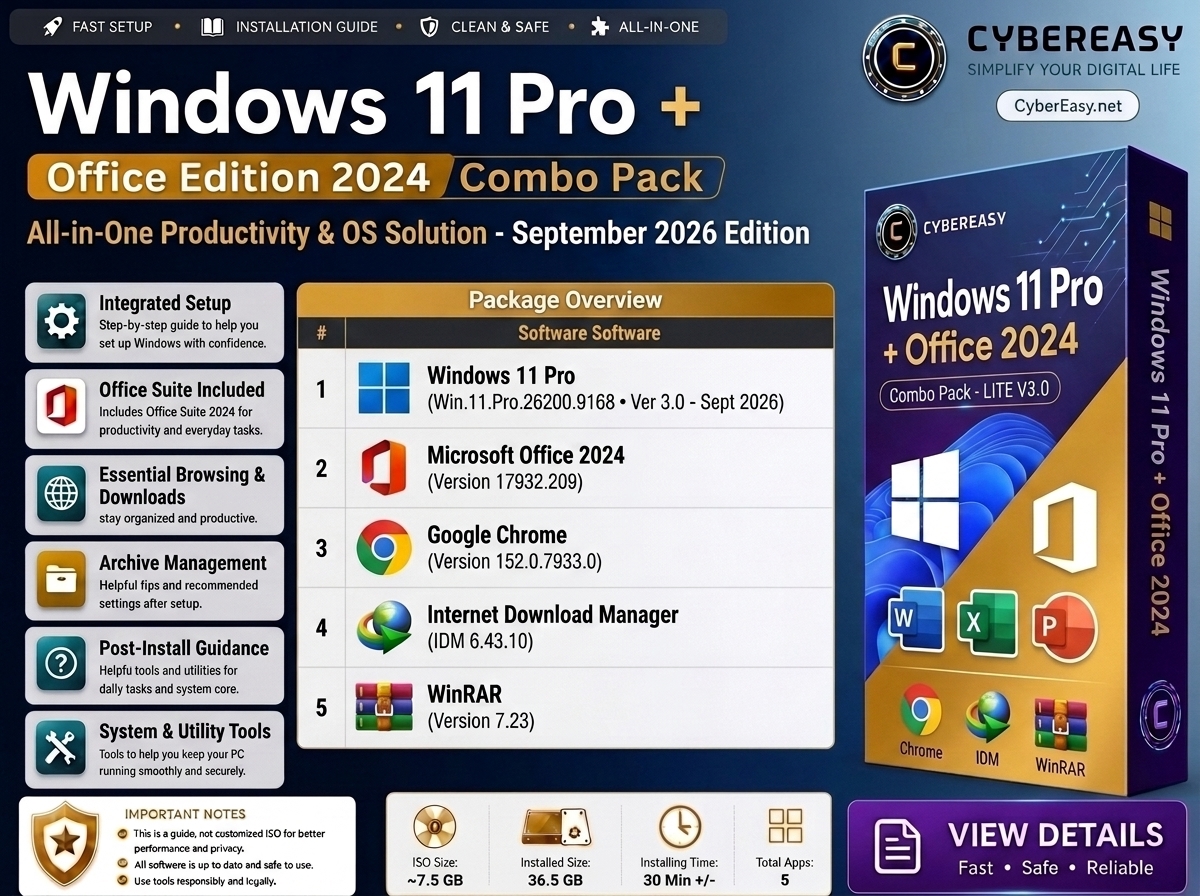
Final Note: Windows 11 Pro 26200.9168 @CyberEasy Version 1.0 is intended for users who want a clean Windows installation with CyberEasy setup customization rather than an all-in-one software package. Install your preferred applications separately after Windows setup and keep the system updated with appropriate drivers and security updates.