
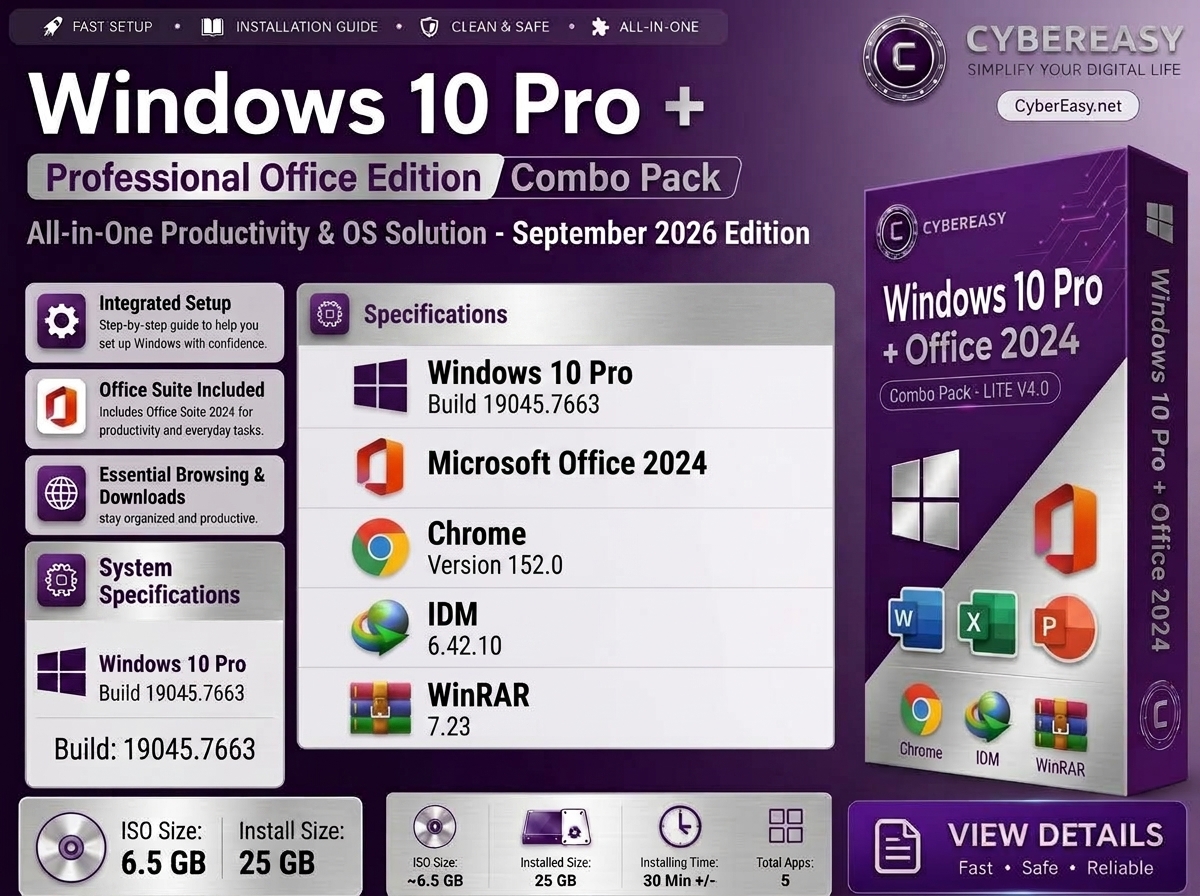
Windows 10 Pro + Office 2024 Combo Pack – September 2026 is a focused CyberEasy edition for users who prefer the familiar Windows 10 environment but also want Microsoft Office ready for everyday work. Instead of a large software bundle, this package keeps things simple: a customized Windows 10 Pro base together with Microsoft Office 2024 LTSC Professional.
The edition is based on Windows 10 Pro 22H2 build 19045.7663 and is intended for home, office, study and technician use where a clean Windows installation with essential productivity software is preferred.
Windows 10 Pro + Office 2024 Combo Pack Overview
Main Highlights
- Windows 10 Pro 22H2 x64
- Windows build 19045.7663
- Microsoft Office 2024 LTSC Professional included
- CyberEasy customized Windows setup
- Internet connection is optional during Windows setup
- Local-account friendly setup
- Automated setup and first-logon configuration
- Privacy-focused Windows settings
- Reduced telemetry, ads and Windows suggestions
- Cleaner Windows desktop and Explorer configuration
- This PC and useful desktop shortcuts configured
- Remote Desktop functionality kept available
- Automatic post-install cleanup
- Installation logging and setup protection
Included Software
This edition is intentionally kept simple. It is designed for users who do not want a large Lite or Mega software collection but still want the most important productivity suite available after Windows installation.
- 01. Windows 10 Pro — Version 22H2 • Build 19045.7663 • x64
- 02. Microsoft Office 2024 LTSC Professional — Productivity suite for Word, Excel, PowerPoint and other included Office applications
Why Choose the Windows 10 + Office Combo?
The concept is simple: keep the familiar Windows 10 experience while adding the productivity software many users need immediately after a fresh installation.
- Clean approach: No large collection of unnecessary third-party software.
- Office ready: Microsoft Office 2024 LTSC Professional is included for everyday documents, spreadsheets and presentations.
- Familiar interface: Suitable for users who still prefer the Windows 10 desktop and workflow.
- Good for older PCs: A practical option for systems where Windows 10 has suitable hardware and driver support.
- Less post-install work: Windows and Office are combined into one focused CyberEasy setup.
- Easy to customize: Install only your preferred browser, media, PDF, backup or other software afterward.
CyberEasy Windows Features
- CyberEasy Customized: Selected Windows settings and visual preferences are prepared for a cleaner first-use experience.
- Automated Setup: Reduces repetitive configuration steps during and after installation.
- Smart First-Logon Setup: Post-install configuration is organized to complete automatically where possible.
- Internet Optional: The Windows setup flow can be completed without requiring an internet connection.
- Local Account Support: The setup is configured for a straightforward local-user workflow.
- Privacy Optimized: Selected telemetry, activity and privacy settings are reduced or disabled.
- Reduced Ads & Suggestions: Windows consumer suggestions and promotional content are reduced where possible.
- Cleaner Desktop: Useful desktop icons and Explorer preferences are configured for everyday access.
- Remote Desktop Ready: Windows 10 Pro Remote Desktop functionality remains available.
- Automatic Cleanup: Temporary setup and update leftovers can be cleaned after installation.
- Installation Logging: Setup activity can be logged to help with troubleshooting.
- Safe Setup Workflow: CyberEasy setup scripts are designed to avoid unnecessary interruptions during post-install configuration.
Recommended System Requirements
- Processor: 1 GHz or faster compatible 64-bit processor; a modern dual-core or better CPU is recommended
- RAM: 2 GB minimum for 64-bit Windows; 4 GB minimum recommended and 8 GB preferred for Office and everyday multitasking
- Storage: 64 GB or more free drive space recommended for Windows, Office, updates and user files
- Graphics: DirectX-compatible graphics hardware
- Display: 1366×768 or higher recommended for comfortable everyday use
- Internet: Optional during setup; recommended afterward for updates, drivers, licensing and online services
- Architecture: 64-bit x64 system
Before Installation
- Back Up Important Data: Save documents, photos, browser data and other important files before installing or reinstalling Windows.
- Check the Target Drive: Confirm the correct SSD or HDD before deleting or formatting partitions.
- Prepare Installation Media: Use a suitable USB drive and a trusted bootable-media utility.
- Keep Drivers Available: Network, chipset, storage, audio and graphics drivers may be required depending on the computer.
- Windows Licensing: Use a valid Windows 10 Pro license or eligible digital entitlement.
- Office Licensing: Microsoft Office LTSC Professional requires an appropriate valid license or organizational entitlement.
Important Windows 10 Support Notice
Windows 10 22H2 reached the end of standard Microsoft support on October 14, 2025. Security updates released after that date depend on Microsoft Extended Security Updates (ESU), eligibility, licensing and the specific Windows installation. Users should understand the current Microsoft support status before choosing Windows 10 for a new installation.
- Windows 10 may still be useful for specific older PCs, applications and established workflows.
- Long-term security and update availability should be considered before using Windows 10 on an internet-connected computer.
- Where hardware and application compatibility allow, users should also consider a currently supported Windows version.
Who Is This Edition For?
- Users who prefer Windows 10 instead of moving to Windows 11
- Office and home users who mainly need Windows and Microsoft Office
- Users who do not want a large pre-installed software collection
- Older or established PCs with reliable Windows 10 driver support
- Technicians maintaining systems or applications that still depend on Windows 10
- Users who prefer installing their own browser, media player and utilities separately
Important Notes
- Focused Package: This edition is designed around Windows 10 Pro and Microsoft Office 2024 rather than a large software bundle.
- Build: The Windows image is based on Windows 10 Pro 22H2 build 19045.7663.
- Disk Usage: A tested CyberEasy Windows 10 setup showed approximately 25.7 GB used after cleanup; actual usage can vary by drivers, updates, Office components and user configuration.
- License Notice: Windows and Microsoft Office must be used according to their applicable licensing terms.
- Driver Compatibility: Check manufacturer driver support before installing Windows 10 on newer or specialized hardware.
- Backup: Always back up important files before installing or reinstalling Windows.
Windows 10 Pro + Office 2024 Combo Pack
Related CyberEasy Guides
Final Note: The CyberEasy Windows 10 Pro + Office 2024 Combo Pack is designed for users who want the familiar Windows 10 environment with Microsoft Office ready for everyday productivity, without turning the system into a large pre-loaded software edition. Check current Windows 10 support status, hardware drivers and licensing requirements before installation.